A look inside ConsignEngine
One item. One connected record.
Follow a sample item through real ConsignEngine screens: intake, barcode label, checkout, and consignor earnings.
Actual application screens captured in a local demo workspace. Willow & Thread, Jamie Parker, and every record shown are fictional.
36-second screen tour · captioned · no audio
From intake to earnings.
A sequence of real screenshots, captured September 2026. Settings and available options vary by store. Read at your own pace below, or open any screenshot at full size.
01 / intake
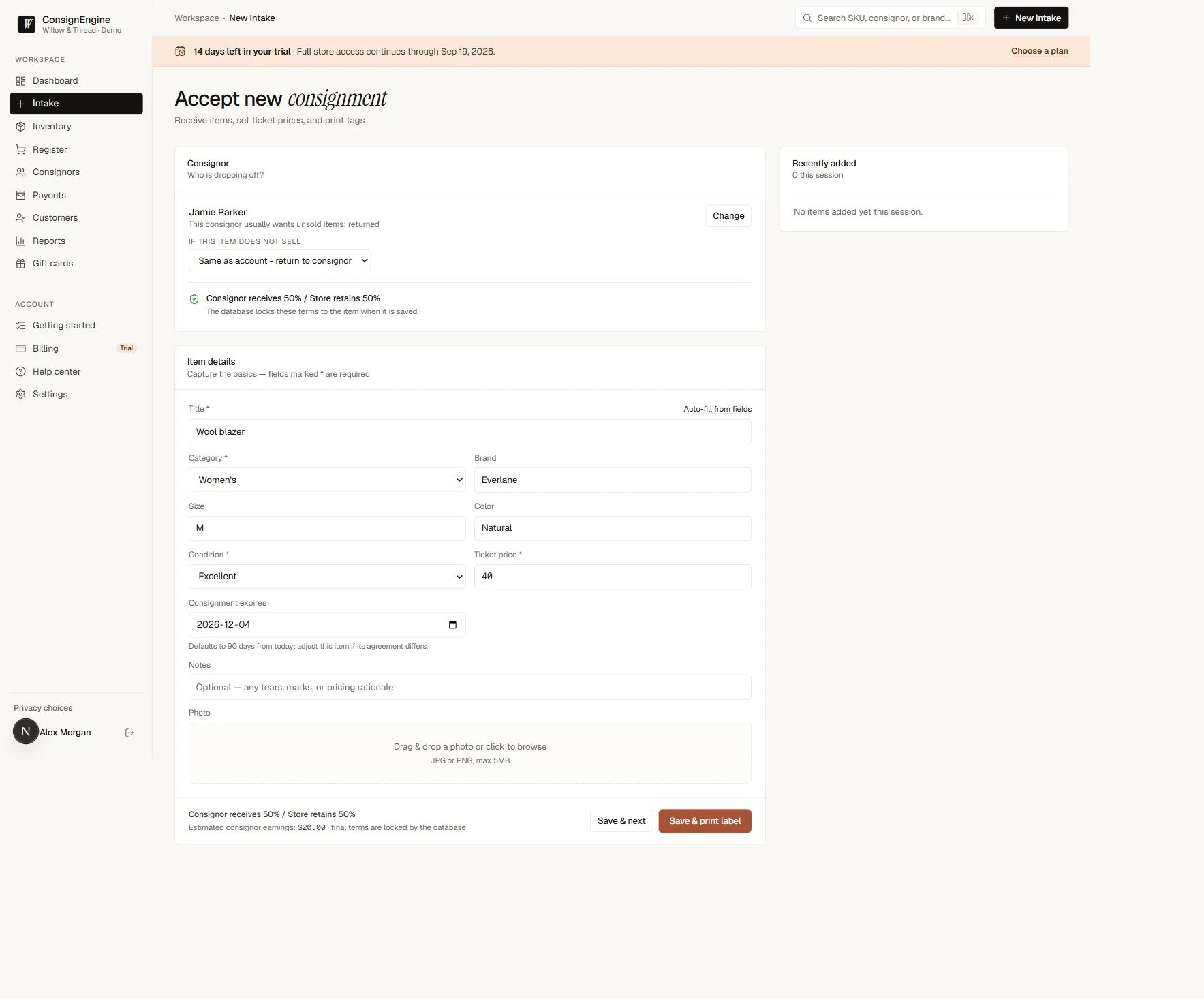
Receive the item and confirm its terms.
Jamie brings in a wool blazer. Enter its details and $40 ticket price, then confirm the 50% consignor share before saving.

02 / label
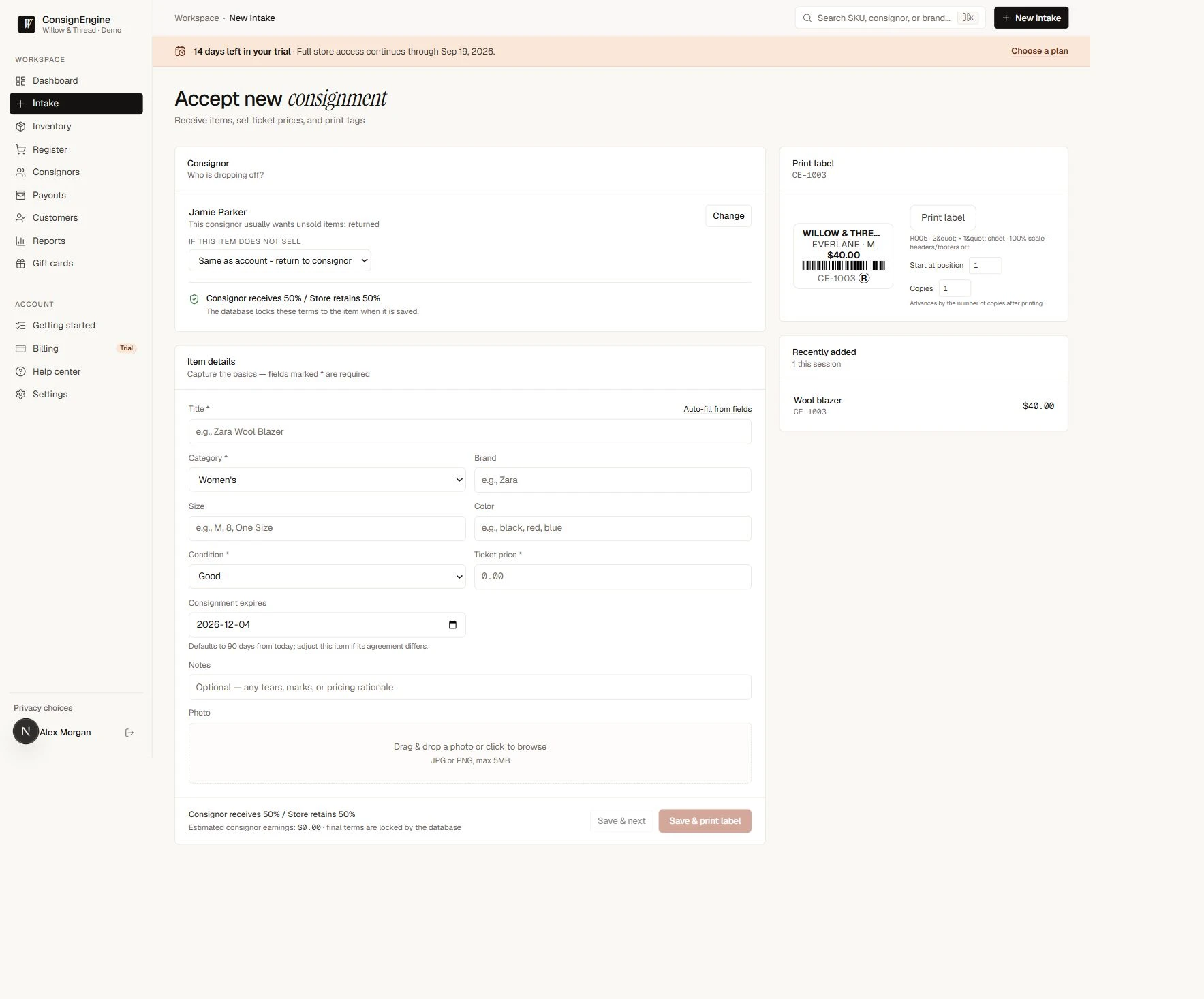
Give the item a traceable tag.
Saving assigns CE-1003. The label preview uses the same item record, price, and barcode, ready for the store’s configured label sheet.

03 / Checkout
Bring that tagged item to checkout.
Find CE-1003 at the register, review the total, and record the payment. This example uses $40 cash and a sample store with no tax configured.

04 / earnings
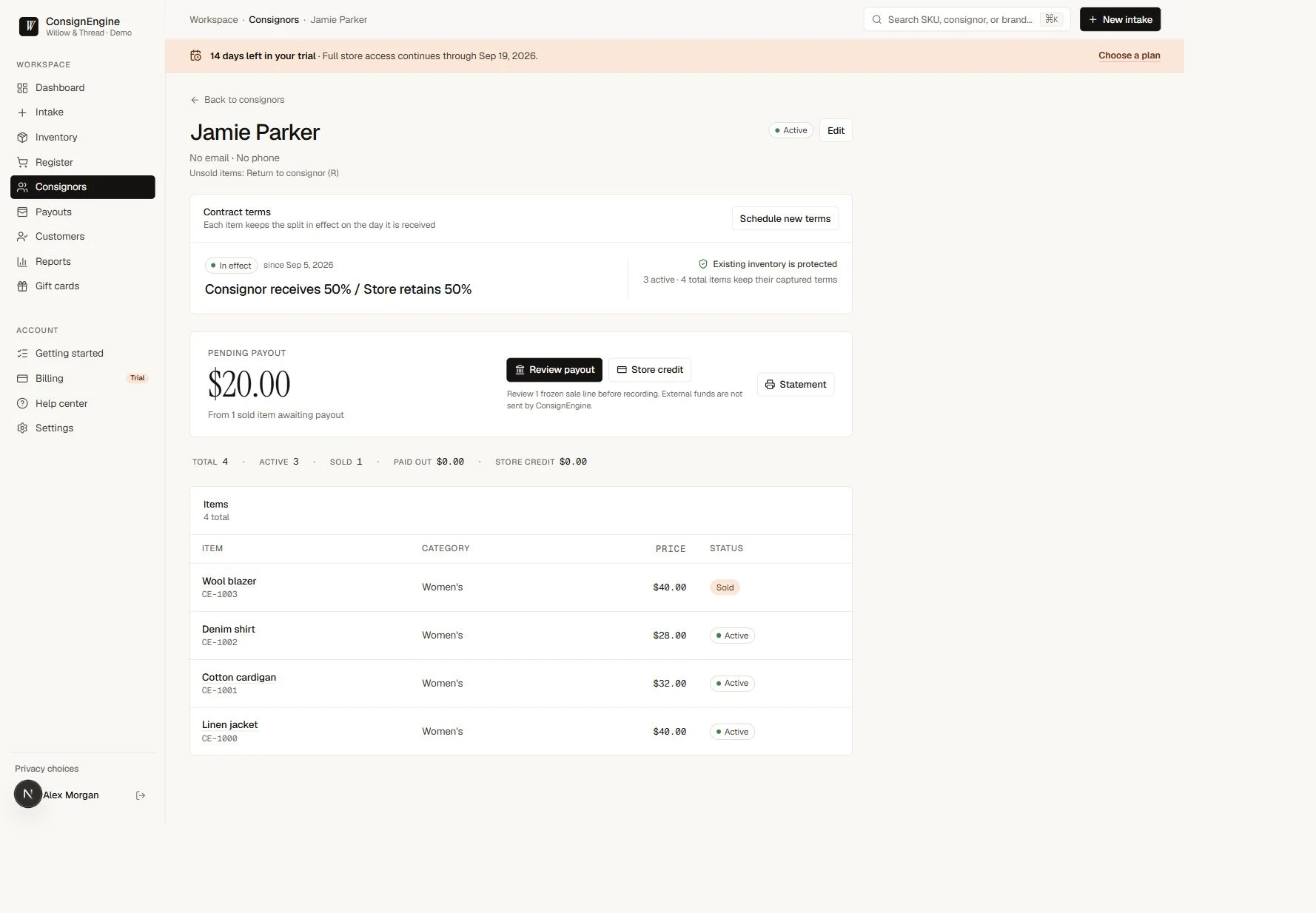
See the sale reflected in consignor earnings.
After the sale, Jamie’s account shows $20 in pending earnings from the agreed 50% share. Staff can review the item and balance before arranging a payout; no money is automatically sent.


Try your workflow
See how it fits your store.
No card required · One core plan